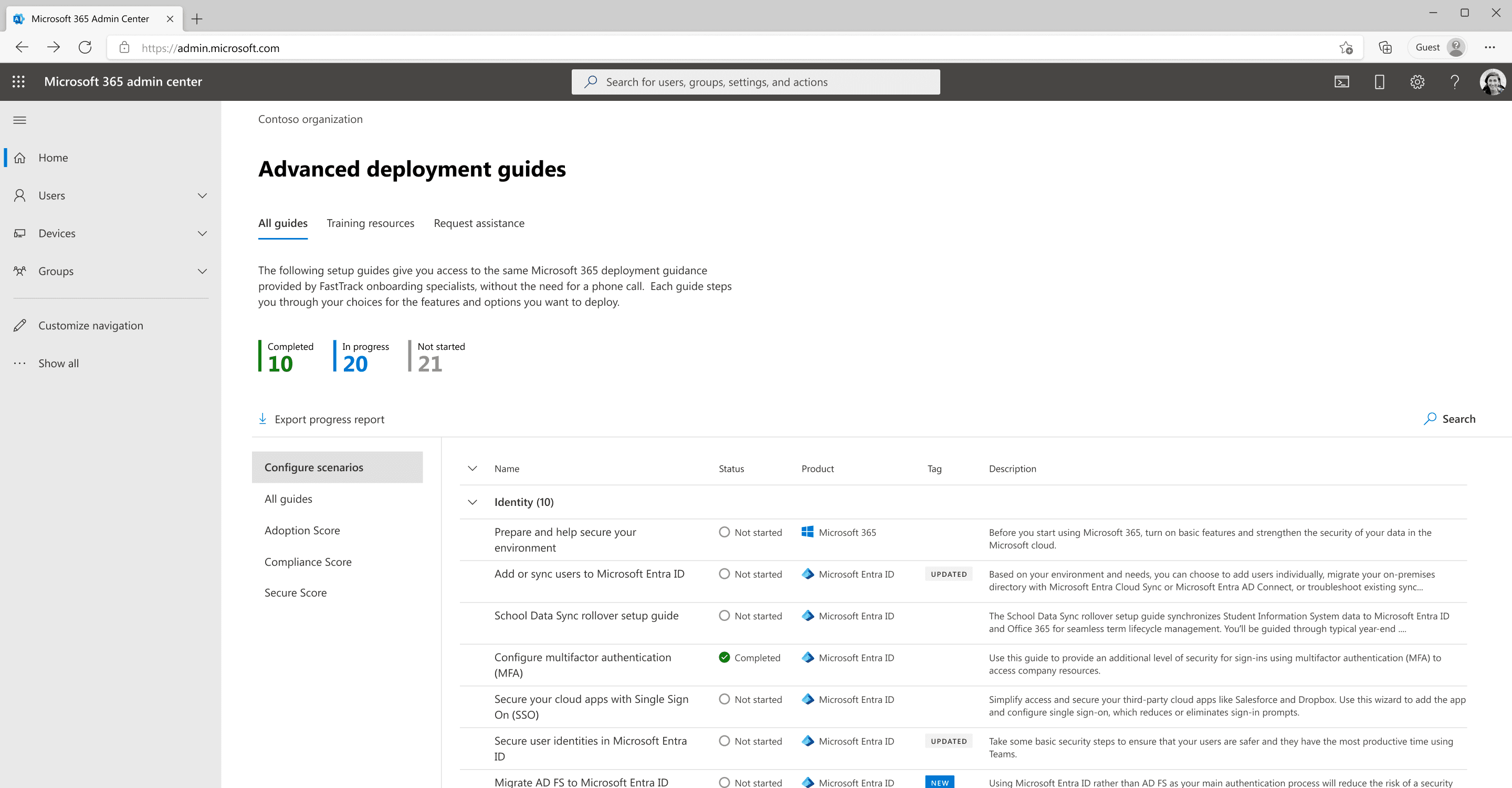
Microsoft 365 admin center
Turning a cluttered IT admin deployment directory into a 153% traffic gain
Project overview
IT admins configure, maintain and secure a company’s computers, networks and software. At Microsoft, I worked with the team behind the deployment guides that help them set up Microsoft products. When COVID-19 nearly doubled the number of guides, the page couldn’t keep up, and admins struggled to find what they needed. The business goal was more traffic: the more admins used the guides, the more value customers saw in keeping their Microsoft subscriptions.
Impact
The redesign drove a 153% increase in page traffic within six months of launch, and 78% of users now visit the page weekly. The side navigation also lets the team add or remove categories as guides change, so the page can grow without another redesign.
Timeline
About 9 months
2022-2023
Role
Lead designer
researcher
Skills
Product design
Usability testing
Stakeholder management
Prototyping
Team
Product managers, a team of developers and me
Before

Before the redesign, there was only one entry point, and two core product pages repeated much of the same content.
After

In the redesign, my team and I added a new entry point based on data analysis and consolidated the two core product pages into one.
User research
I tested three layouts with 12 IT admins who’d used the Microsoft 365 admin center.
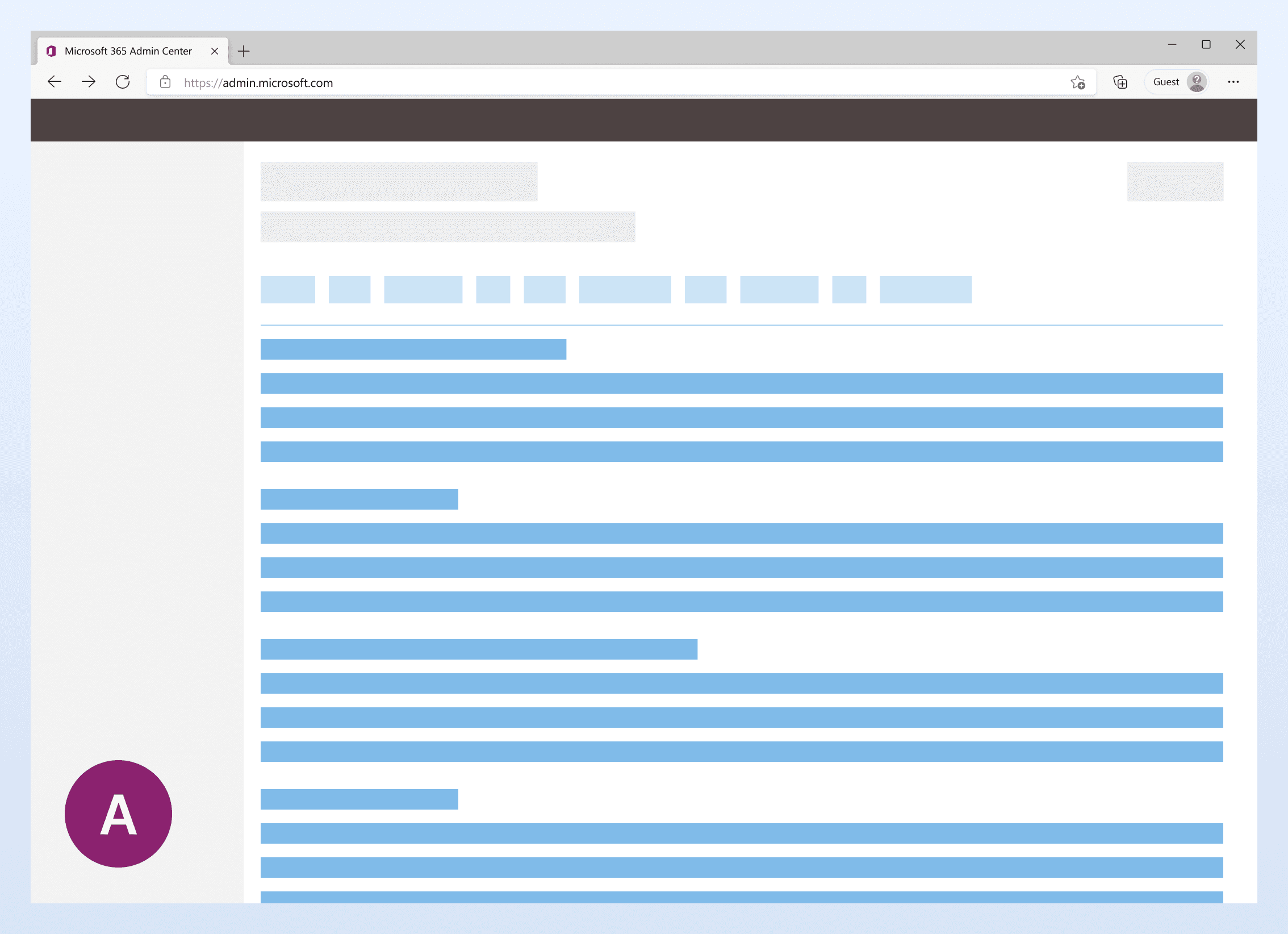
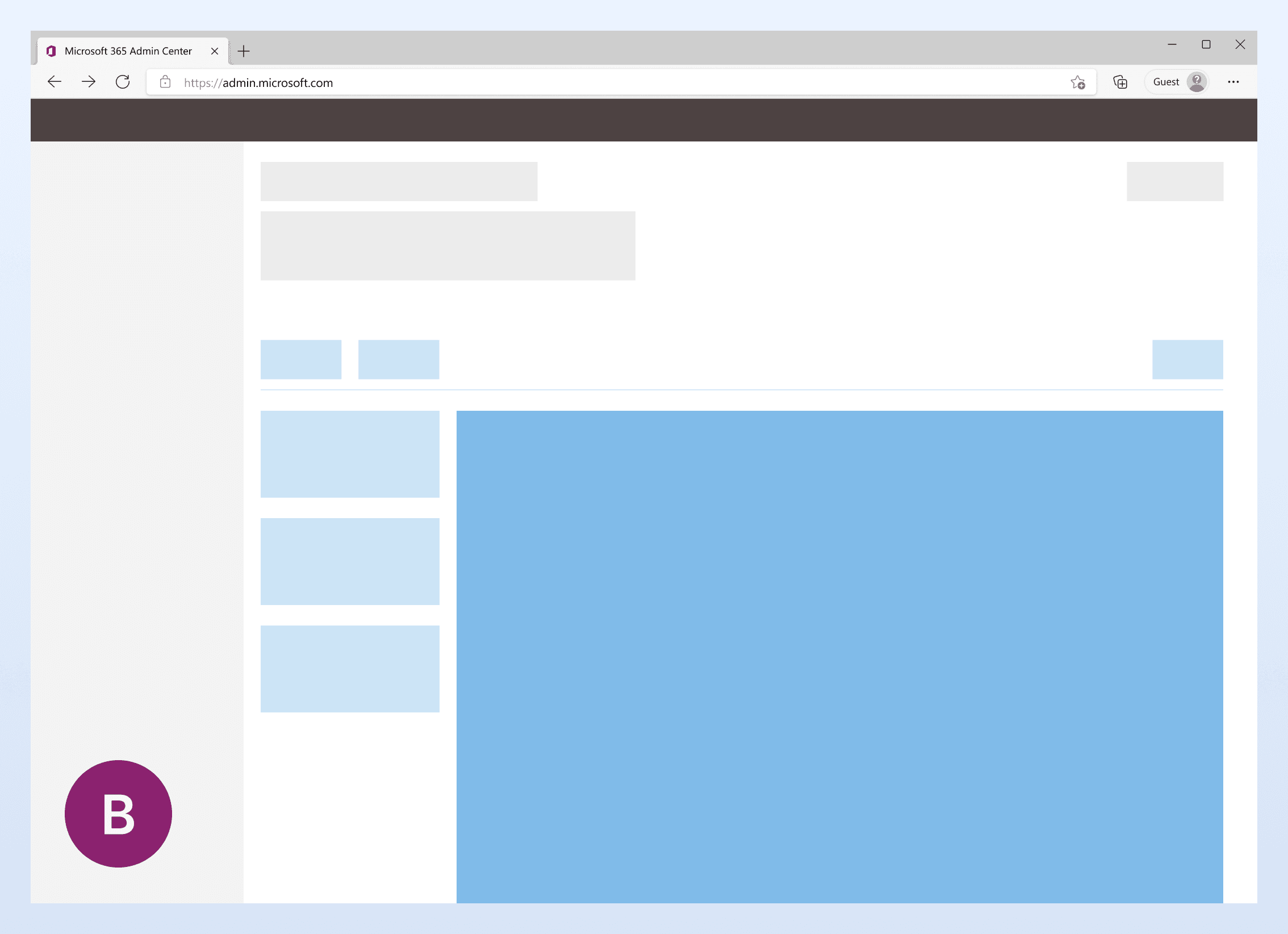
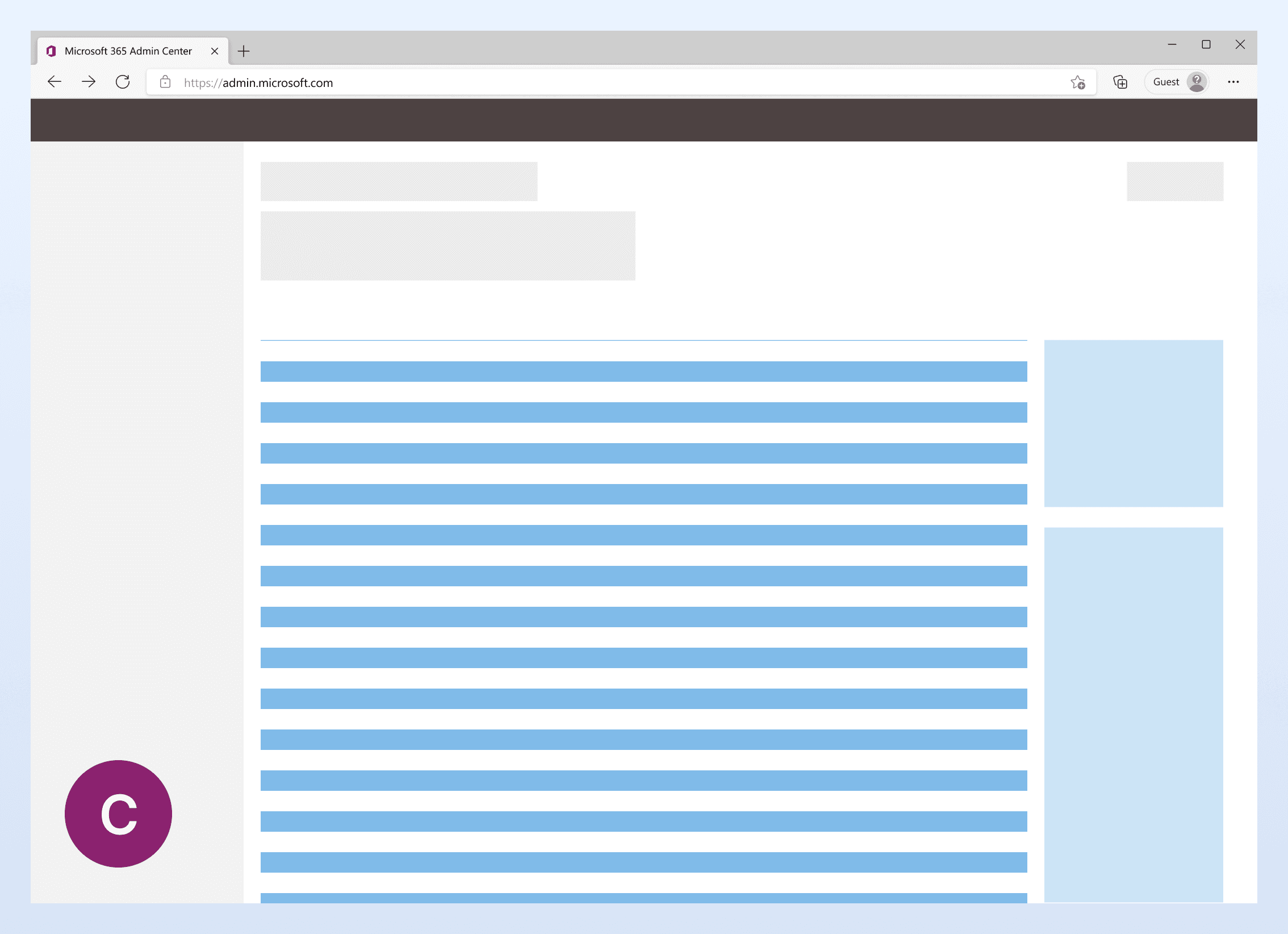
A
Filters at the top, like the existing page
B
A side navigation on the left
C
A pane on the right
Why B
Both the research and my own read pointed to B. With dozens of guides on one long page, a navigation that stays on screen shows admins where they are, which A’s top filters and C’s side pane didn’t. A side navigation with filters and search was new to the admin center, so I reviewed it with the admin design system team, part of Fluent, and used these findings to back it up.
Filtering
Every admin found the two pages overwhelming and wanted filters to narrow them down.
Side navigation
10 of 12 admins said the side-navigation version made resources easier to find.
Export progress
Half the admins said exporting their progress would help in their role.
Key decisions
1. Fewer categories to win sign-off
My first design added 8 new categories on top of the side navigation. Stakeholders said it was too much change at once, so I kept what research backed and dropped the rest.
Proposed: 8 new categories
1
Identity and authentication
Security and compliance
Endpoint management
Microsoft Edge browser deployment and security
Communication and conferencing
Email migration and security
Collaboration
Microsoft 365 productivity apps
Shipped: the existing 2, in a side navigation
3
2
Configure scenarios
All guides
Adoption Score
Compliance Score
Secure Score
1
8 new categories: cut. No research backed them.
2
Side navigation: shipped, with the existing 2 categories.
3
Search and filters: shipped. Research backed both.
2. Move the entry point to where admins already were
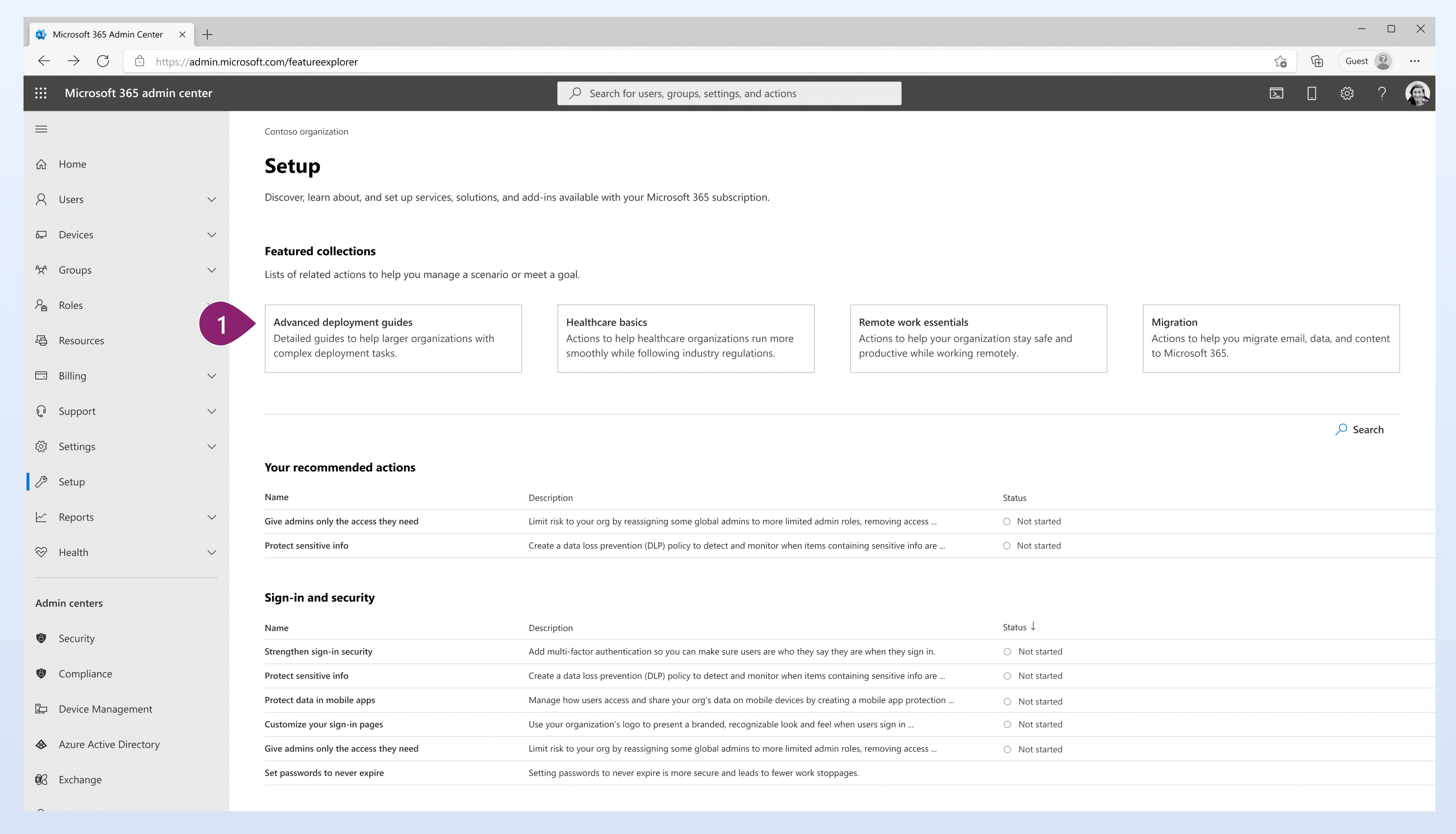
The only way in was a small link on the admin center home page, but most deployment traffic went through Setup, a page another team owned.
My product team and I pitched an entry point in Setup three times. Before the last pitch, I took the design to the admin center design review, 10+ designers including Setup’s designer. With their support, the pitch landed.
It launched with the redesign, and page traffic grew 153% within six months.
1
The new entry point, in Setup’s featured collections.
Core product page before & after


Pain points
1
This page is very long, this is only about half of the page. The amount of content is hard to scan without feeling overwhelmed. Most of the information is the same on each page.
2
Similar to page one, it’s a long page. For inexperienced users, sometimes search and simple filter feel not enough way finding to the resources.
Improvements
3
I consolidated all the deployment guides to this single, easy to navigate one page layout to improve discoverability and minimize the learning curve for users.
4
Number counts provide admins with a quick overview of the guides they’ve used.
5
Admins can now export their progress.
6
A side navigation to divide the large body of content.
7
Updated and New labels allow the admin to scan better.
8
Search function above the list to allow admins to find the resources quickly.
WCAG / Reflow
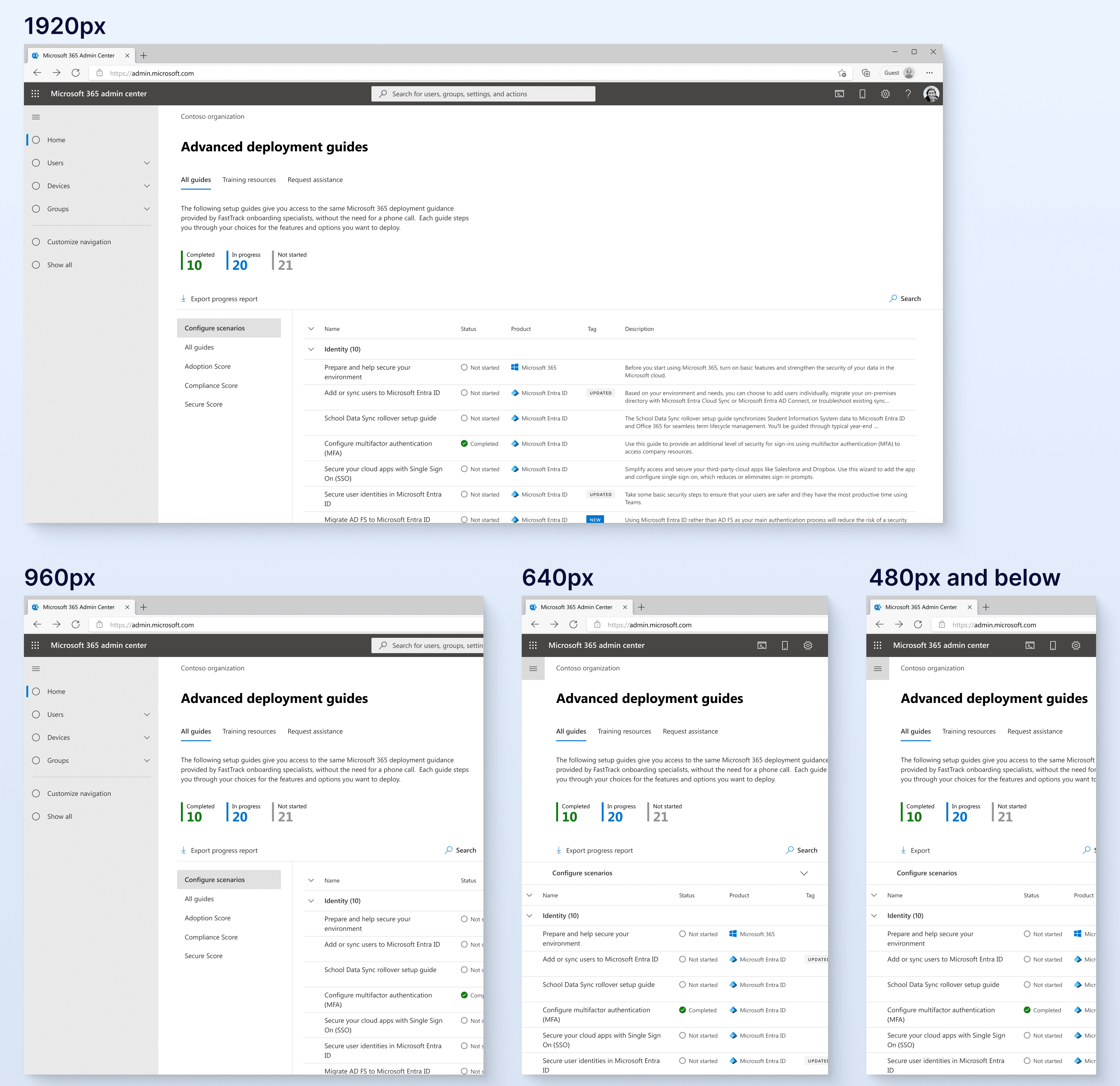
Engineers worried the new layout wouldn’t hold up on smaller screens, so I included reflow specs in my handoff.
Column filter
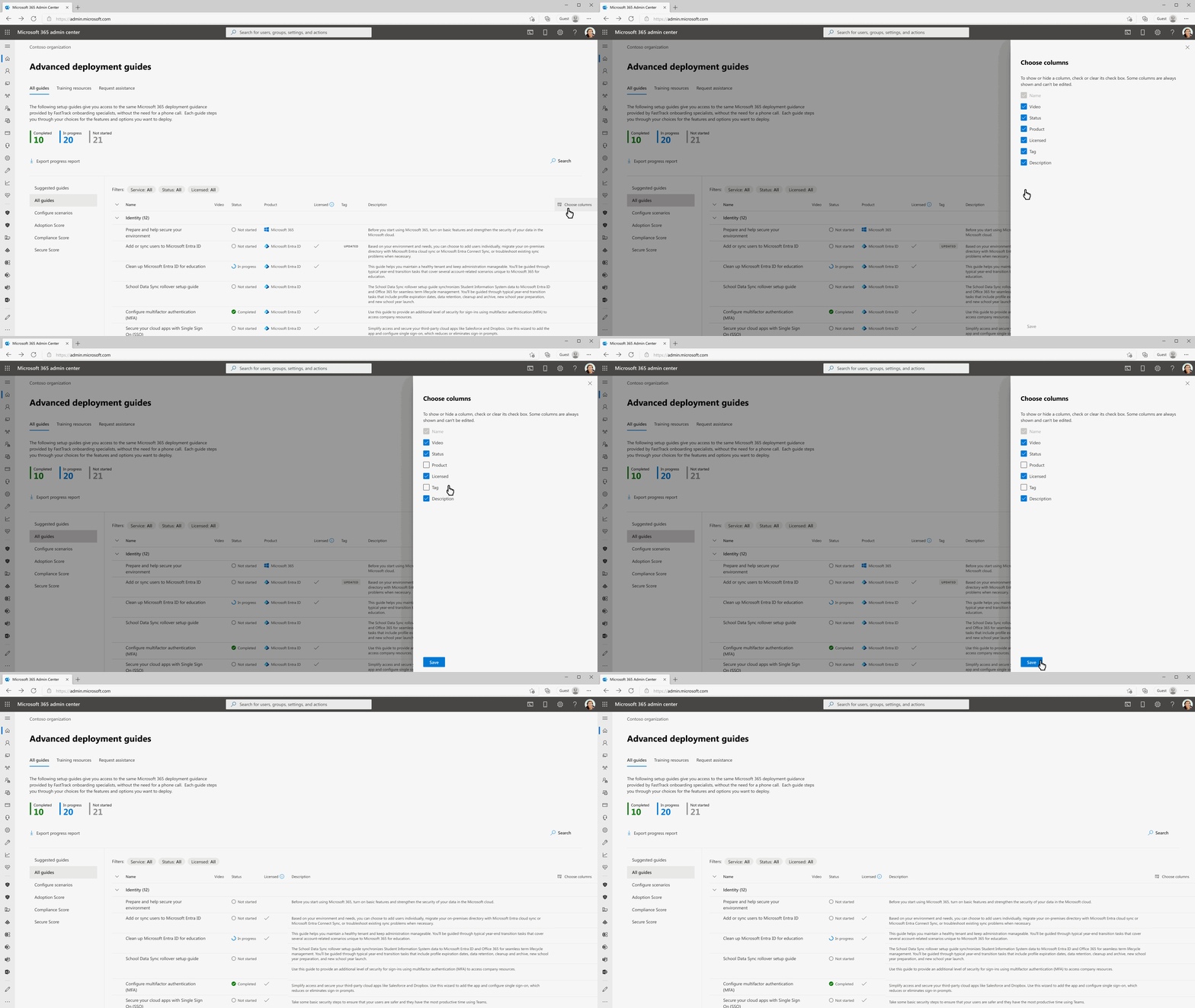
Additionally, I created a column filter to allow admins to focus on the content they would like to focus on.
Results
153%
Page traffic within six months of launch
78%
Of users visit the page weekly
10 out of 12
Admins found resources easier to find in testing
Retrospective
The parts of the design backed by research made it through stakeholder review; the new categories, which weren’t, got cut. Next time I’d test the category structure early, with a card sort, so I’d have evidence for that conversation too.
I’d also like to explore side-navigation variations by category with more admins.
